Project 08 · 2024
DigiTab Order Management
An order management system for restaurants and cafés that runs on the cashier's computer: ordering from phones, kitchen stations, ticket printing and end-of-day reports.
08.1Summary
In a business running on paper tickets, an order travels by hand from waiter to kitchen to cashier, which means delays and mistakes. DigiTab digitises that flow: the waiter takes the order on a phone, each item lands on its own kitchen station, the waiter's phone vibrates when it is ready, the cashier sees everything at once and the end-of-day report is waiting.
The app is a single desktop program installed on the cashier's computer. It needs no internet connection, no subscription and no app on the waiters' phones: phones and kitchen tablets connect through a browser over the same Wi-Fi network, and all data lives in a single SQLite file on the cashier's computer.
08.2Architecture
The Electron app on the cashier's computer is also the server: Next.js pages and Socket.io events are served from a single Node.js process. Every operation that changes data goes through a socket event on the server and is broadcast to all screens immediately.
08.3Features
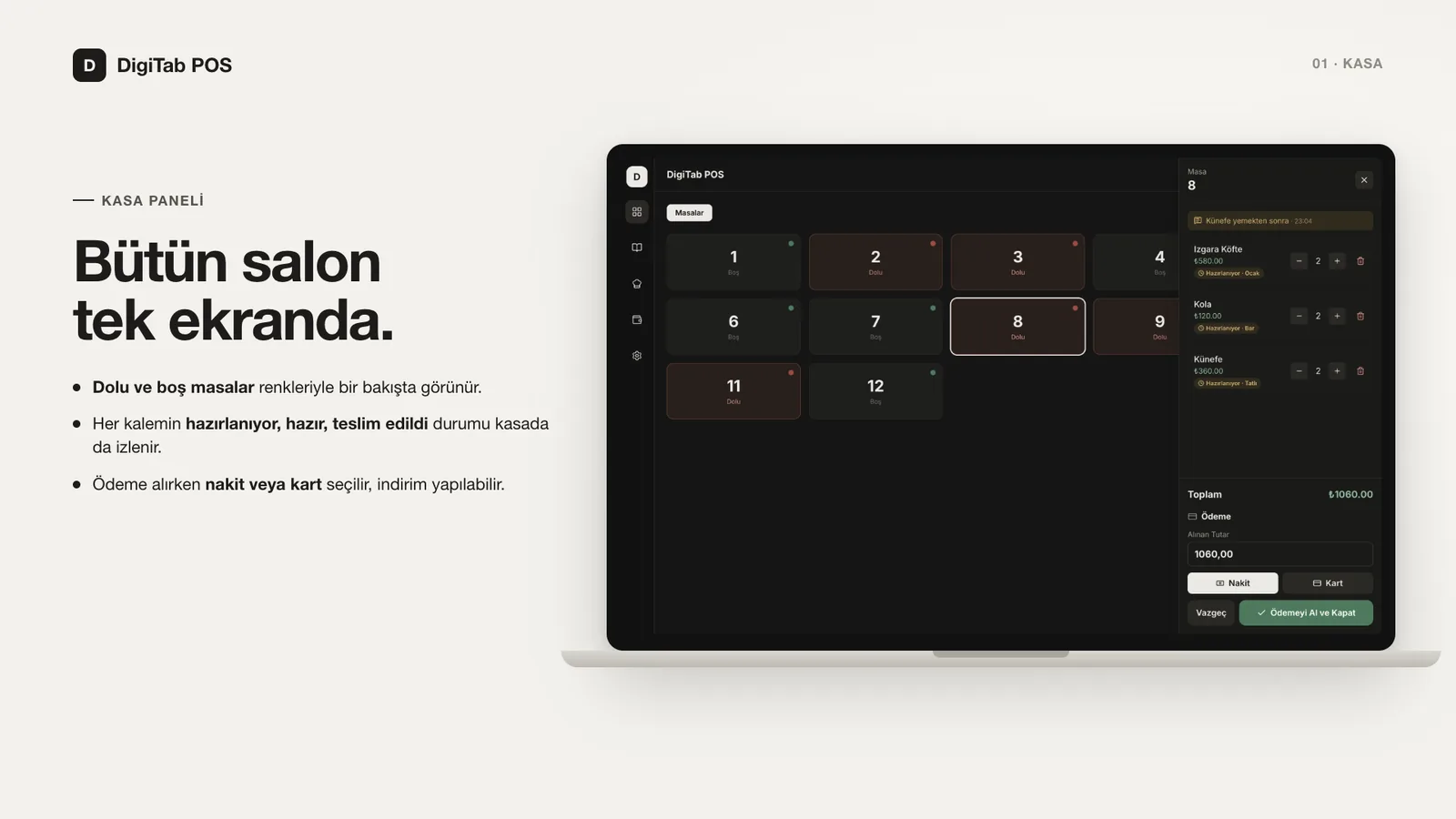
| Cashier panel | Table occupancy, open bill, notes and the preparation status of every item |
|---|---|
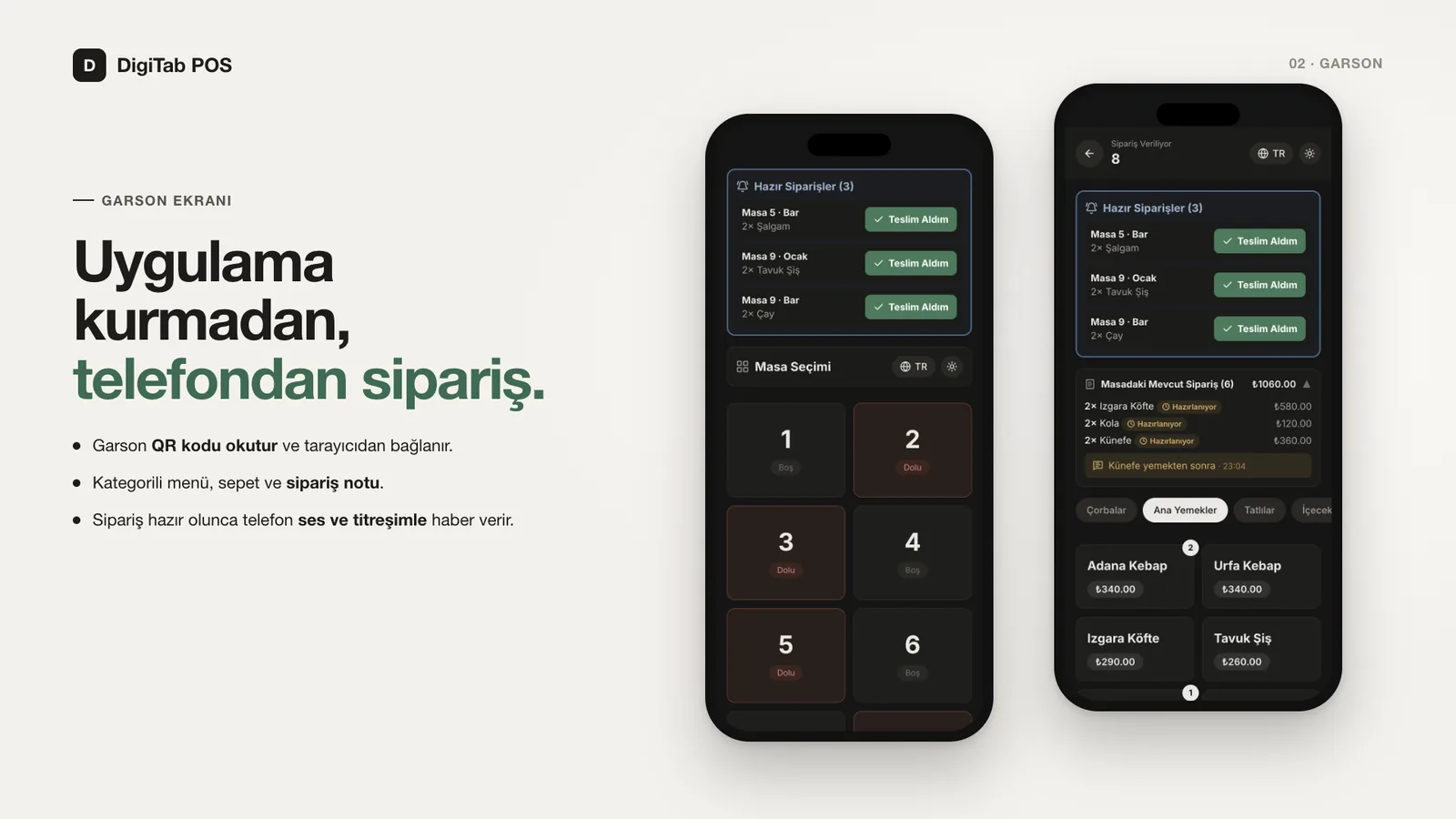
| Waiter screen | Join from the browser with a QR code; categorised menu, cart and order notes |
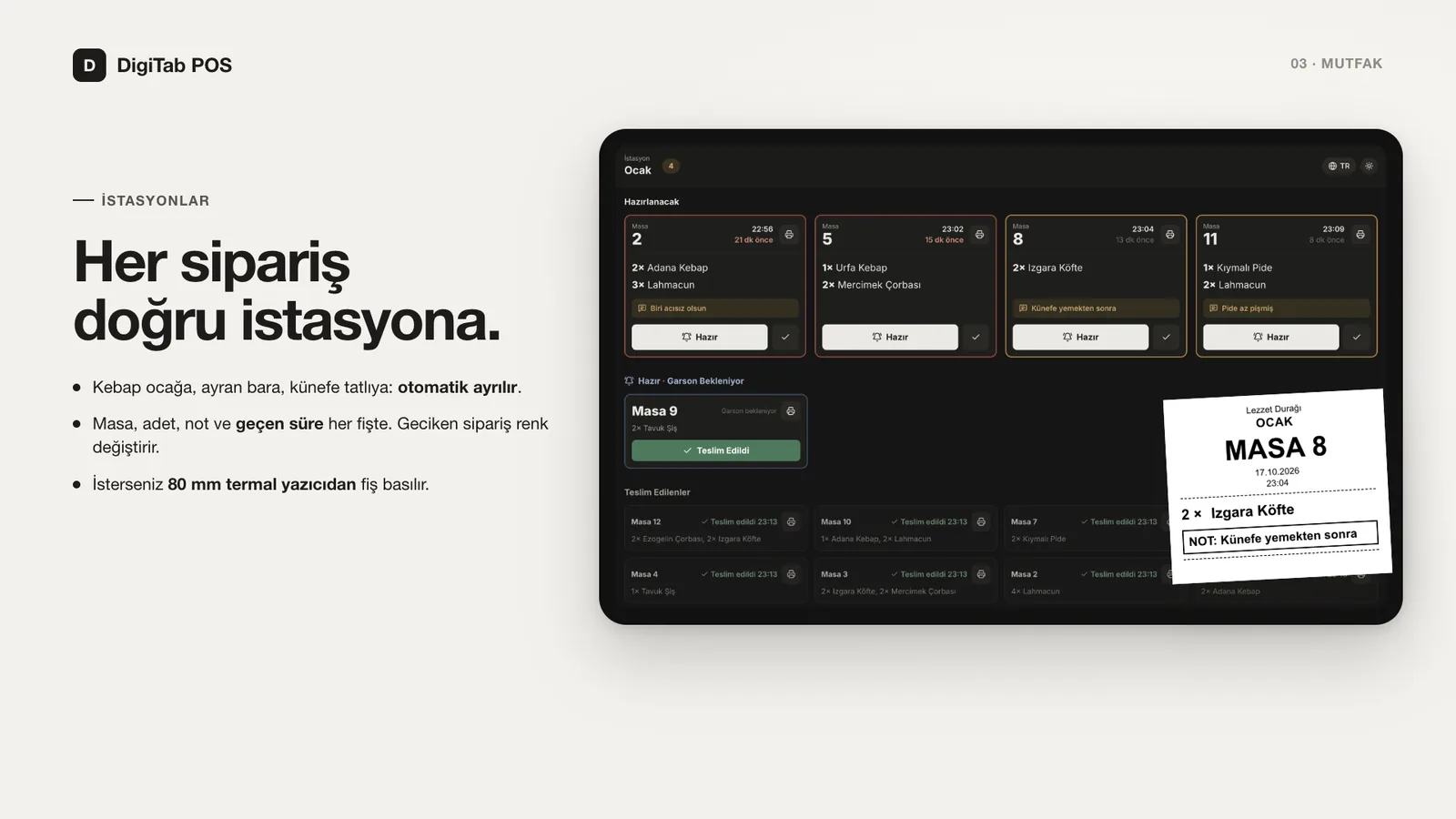
| Stations | Items are routed automatically to stations such as grill, bar or desserts by category or product |
| Kitchen display | Table, quantity, note and elapsed time; late tickets are highlighted in amber / red |
| Ready alert | When a station marks an order ready, the waiter's phone alerts with sound and vibration |
| Payment | Amount received (discounts allowed) and payment type (cash / card); the bill is written to a sales ledger |
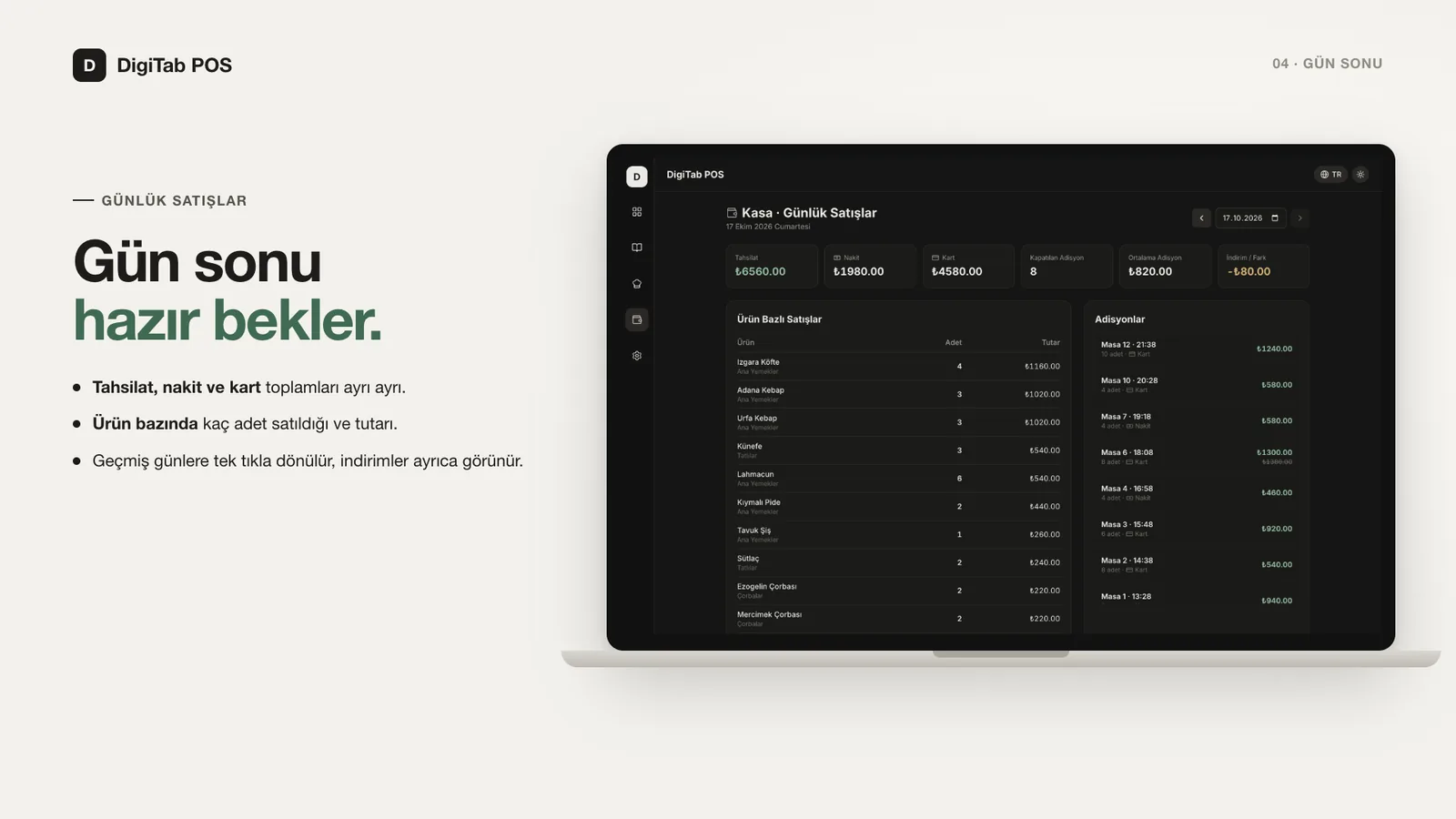
| Daily sales | Takings, cash / card split, quantity and revenue per product, past days |
| Ticket printing | 80 mm thermal printer; without a print dialog when attached to the cashier's computer |
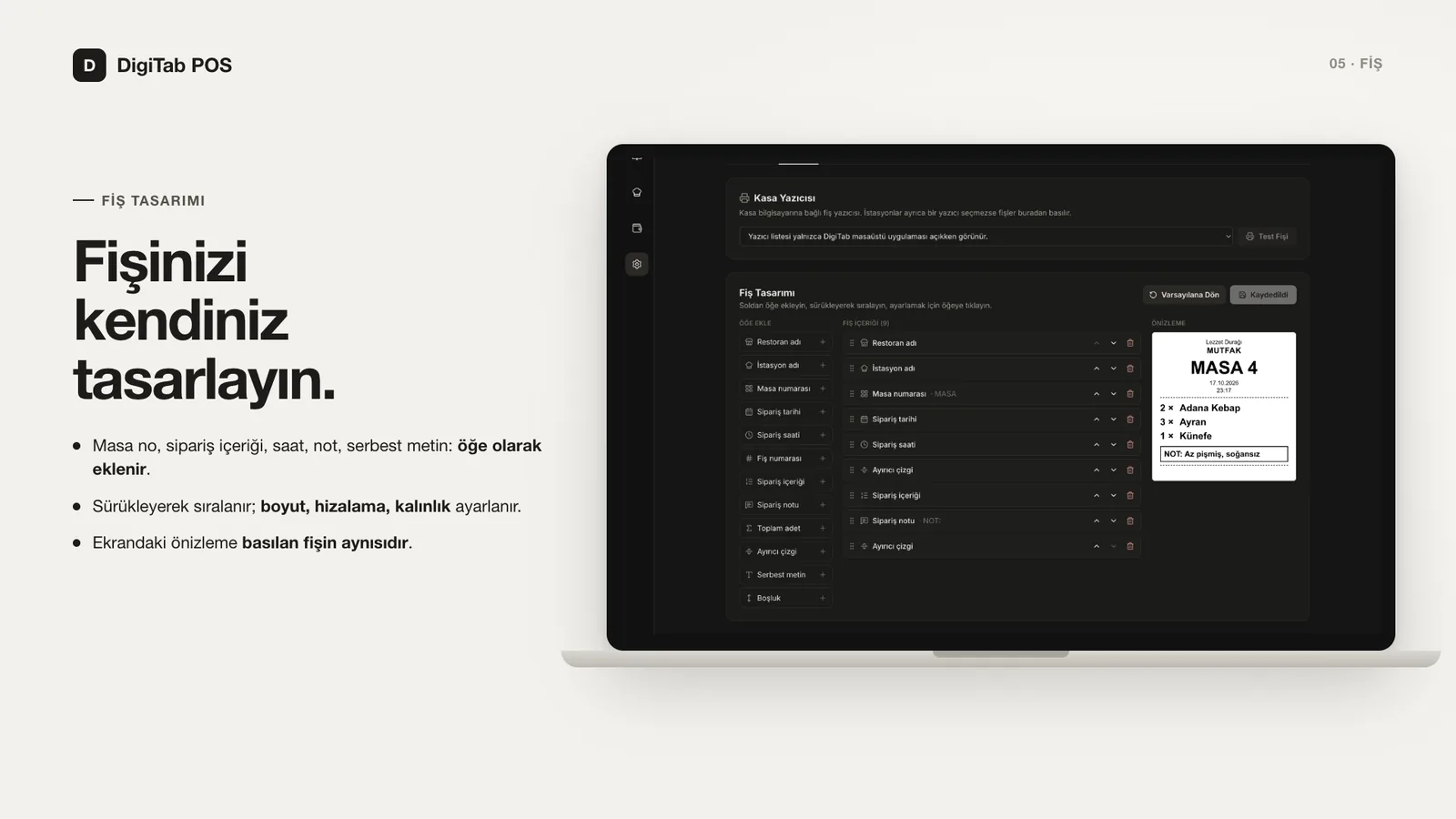
| Ticket designer | Items such as table number, order lines, time and notes are arranged by drag and drop, with size and alignment controls |
| Other | Menu management, one-click backup, light / dark theme, TR / EN interface |
08.4Screens
08.5Design notes
- Local-first: the system never needs the internet. Service continues when the connection drops and data never leaves the business's computer.
- Trust boundary: admin screens and operations are accepted only from the cashier's computer (
localhost). Prices are never taken from the client but always read from the menu, and every socket event is validated on the server. - Sales ledger: when a table is closed, product names, prices and the table number are copied as they are into separate tables, so past reports stay intact even if the menu or table layout changes.
- Tickets print as HTML: instead of raw ESC/POS commands, the ticket is rendered as an 80 mm page and printed through the operating system's printer driver. This avoids code-page problems with Turkish characters and works with any receipt printer that has a driver. The preview in settings and the printed ticket come from the same component.
- Print agent: the Electron main process connects to the server as a socket client, reports the printer list and prints tickets silently from a hidden window. The same approach works in development (separate processes) and in the installed app (single process).
08.6Status
- Waiter, cashier and station screens, ready alerts
- Taking payments and the daily sales report
- Ticket printing and the ticket designer
- Windows and macOS installers (v1.1.0), built and smoke-tested with GitHub Actions
- Cash register (fiscal device) and e-invoice integration
- User login and permission levels
- Multiple branches and remote reporting